Alias /myapp/ "C:/xampp/apps/myapp/htdocs/public/"
Alias /myapp "C:/xampp/apps/myapp/htdocs/public"
Include "C:/xampp/apps/myapp/conf/httpd-app.conf"
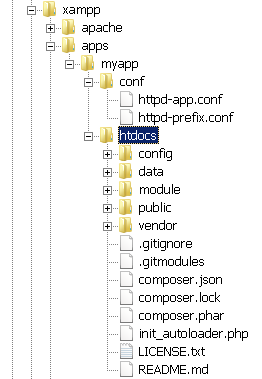
Check that you have a directory structure like this:
Extract the contents of the ZIP archive to the myapp\ directory. This will produce a zendframework-ZendSkeletonApplication-[xx]\ subdirectory in the myapp\ directory. Rename this newly-created subdirectory to htdocs.
| This new htdocs directory will be the main working directory for your Zend Framework 2 project. |
Within the myapp\ directory, create a new conf\ subdirectory.
Within the new conf\ subdirectory, use your text editor to create and populate a file named httpd-prefix.conf with the following content:
Alias /myapp/ "C:/xampp/apps/myapp/htdocs/public/" Alias /myapp "C:/xampp/apps/myapp/htdocs/public" Include "C:/xampp/apps/myapp/conf/httpd-app.conf"
Within the conf\ subdirectory, also create and populate a file named httpd-app.conf with the following content:
<Directory C:/xampp/apps/myapp/htdocs/public>
   Options +FollowSymLinks
   AllowOverride All
   Require all granted
</Directory>
Edit the httpd-xampp.conf file in the apache\conf\extra\ subdirectory of your XAMPP installation directory and add the following line at the end to include the httpd-prefix.conf file created earlier.
Include "C:/xampp/apps/myapp/conf/httpd-prefix.conf"
| Remember to update the above file and directory paths so that they’re valid for your system. |
Check that you have a directory structure like this:
Restart the Apache server using the XAMPP control panel.
Launch a new Windows command shell using the "Shell" button in the XAMPP control panel.
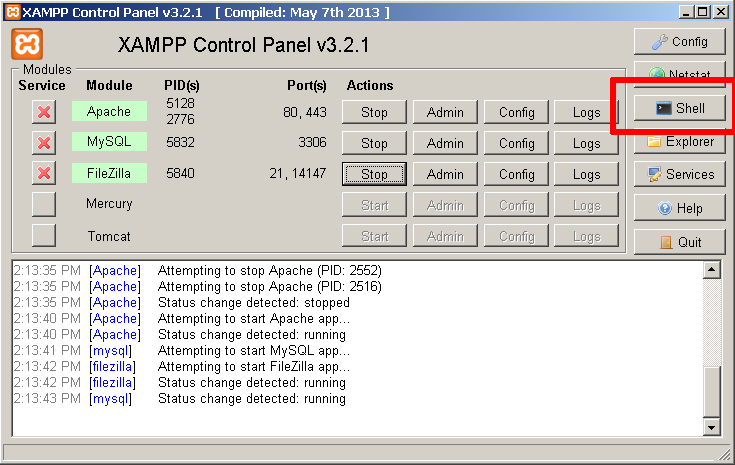
Within the command shell, change to the myapp\htdocs\ directory and run the following commands to update Composer (the PHP dependency manager) and install the Zend Framework 2 components.
php composer.phar self-update
php composer.phar install
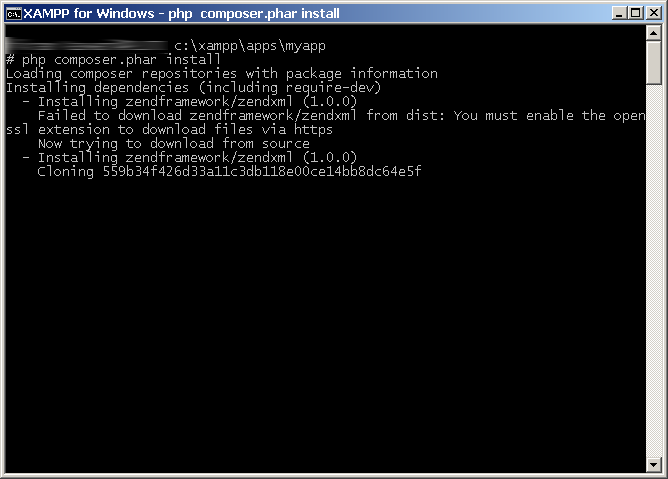
Here’s an example of what you might see as Composer downloads and installs dependencies.
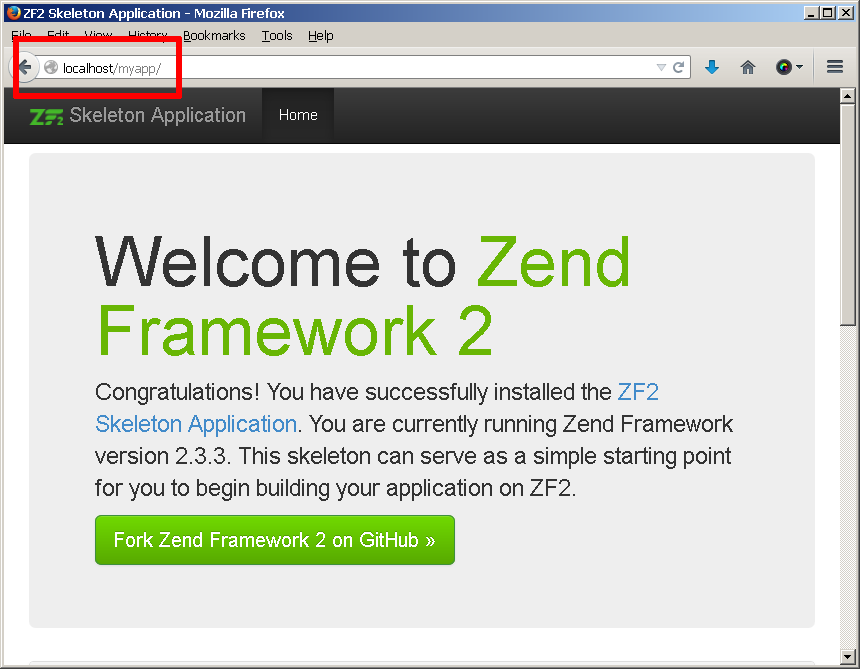
Once Composer is done, you should be able to access the Zend Framework 2 skeleton application by browsing to http://localhost/myapp. Here is an example of the default welcome page you should see:
You can now begin developing your Zend Framework 2 application by modifying the skeleton application code. For more information, refer to the Zend Framework 2 User Guide.